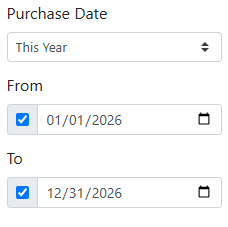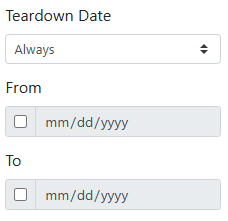
Here's a list of the fields you can search by on the Vehicle Search screen.
🔤 Keyword Search
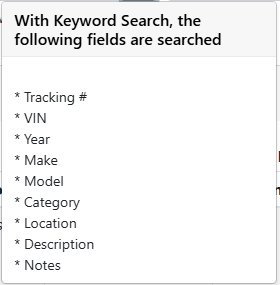
Keyword Search looks for your words in the following fields.
-
Tracking #
-
VIN
-
Year
-
Make
-
Model
-
Category
-
Location
-
Description
-
Notes
🔽 Vehicle Type
The Vehicle Type filter finds vehicles of one type. Choose All Vehicle Types to search them all.
Vehicle types can be defined by your company and assigned to vehicle models.
Read more about configuring vehicle types.
🟢 Vehicle Status
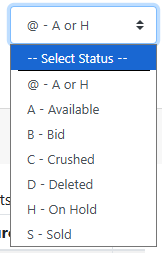
The Status filter finds vehicles with a specific status.
-
@ - A or H - Available or On Hold. This is the default.
-
A - Available
-
B - Bid
-
C - Crushed
-
D - Deleted
-
H - On Hold
-
S - Sold
⚙️ Advanced Fields
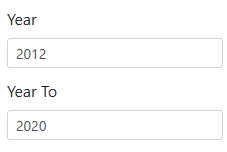
Year and Year To - Finds vehicles in a range of model years.
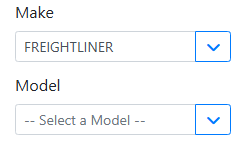
Make and Model - The vehicle manufacturer and model. To search for a vehicle by model, you must select a make first to load the model list for that vehicle make.
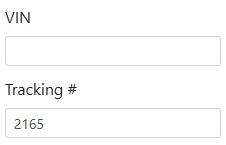
VIN and Tracking # - Finds a specific vehicle by its VIN or the tracking number assigned to it in ITrack.
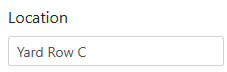
Location - Where the vehicle is stocked in your yard.
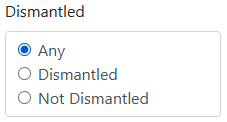
Dismantled - Filters by a vehicle’s dismantled status, choose either Any, Dismantled, or Not Dismantled.
Purchase Date and Teardown Date - Choose a date range, like Last 30 Days or This Year. Choose Custom to enter your own From and To dates.