
If you're already on a vehicle and want to open a different one, you don't need to go back to the search screen.
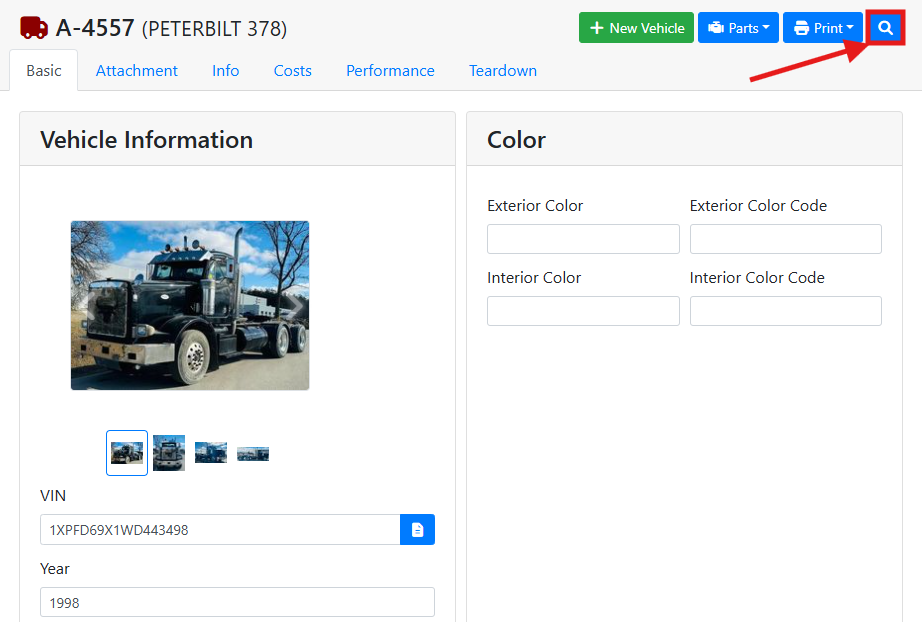
At the top of the Vehicle screen, click the spyglass button.
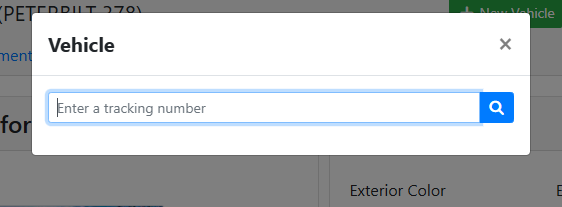
A window will open where you can type a Tracking Number for a vehicle. Either click the spyglass button or press Enter on your keyboard and the vehicle will open.
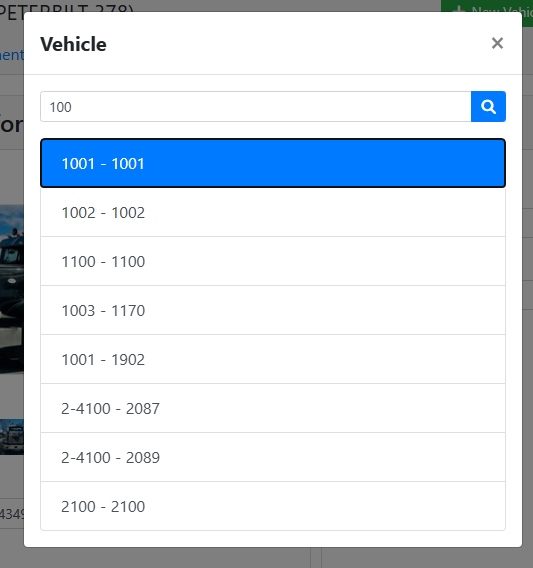
If more than one vehicle is found, you'll see a list of possible matches. Click the one you want to open.
Not finding your vehicle? Try searching for a vehicle instead.