
A Service Order will display a status based on the status of the jobs within it.
🧰 Service Orders with Only One Job
If your service order only has one job, its status is the same as the job status.
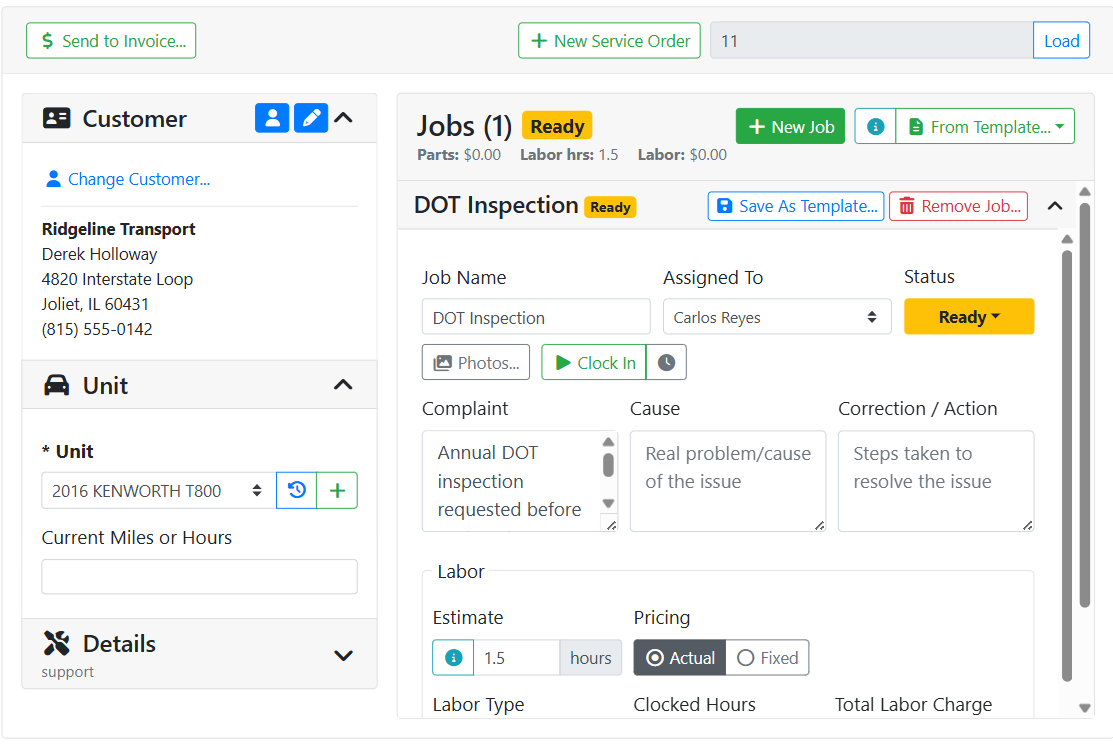
In this example, the only job on the order is a DOT inspection. That job’s status is Ready so the overall status at the top of the service order is also Ready.
🧰 Service Orders with More Than One Job
If your service order has more than one job, the service order status will match the job status only if all jobs have the same status. Otherwise the rules are as follows:
-
If every job is Not Ready, the Service Order is Not Ready.
-
If at least one job is Ready, and none are In Progress or Done, the Service Order is Ready.
-
If at least one job is In Progress or Done, the Service Order is In Progress.
-
The Service Order is Done only when every job on it is Done.
In this example, this service order has two jobs, one Ready and one Done. Overall, since someone started working on something on this service order, the service order is In Progress, even though none of the jobs on it are in the In Progress status.
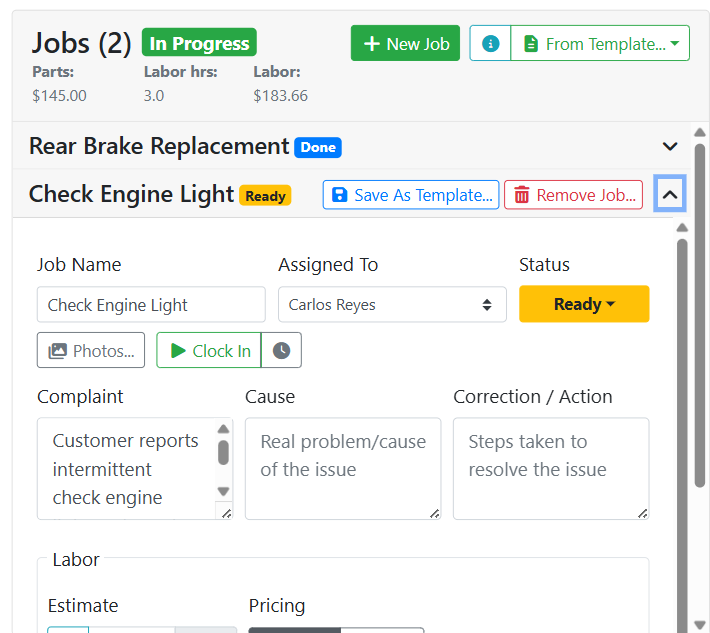
A single job in progress is enough to move the whole order to In Progress, even if other jobs on the order haven't started yet.
Read more about working on jobs.