
To connect ITrack Chromium to your eBay store, go to Configuration > Integrations and select the eBay tab.
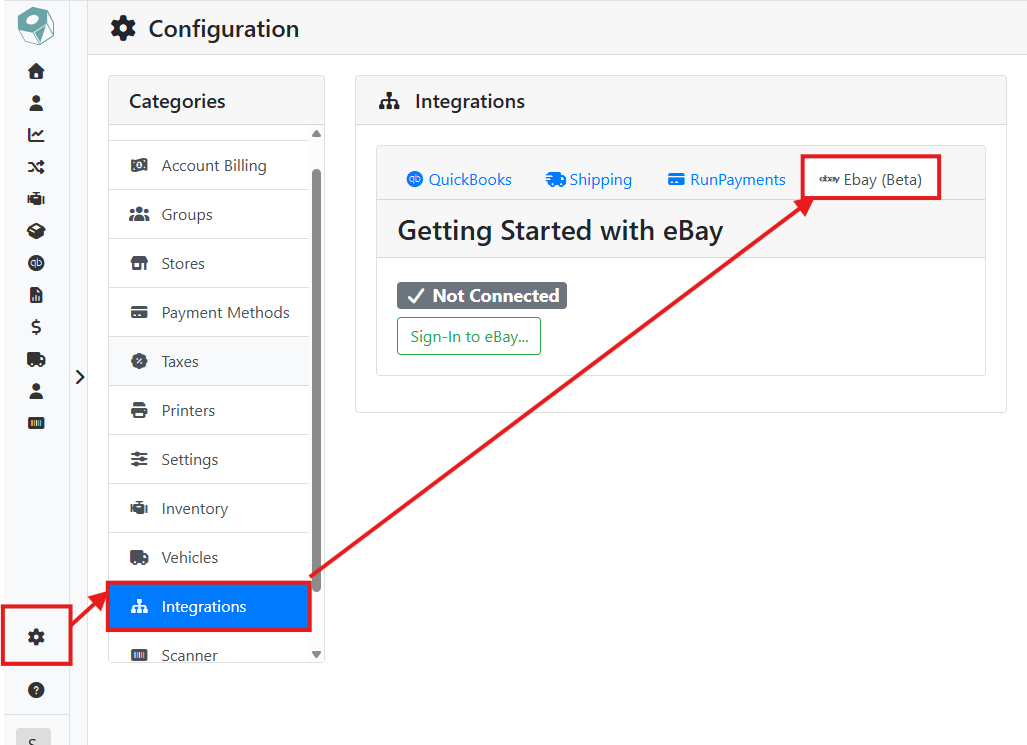
Click the Sign-In to eBay button. Another window will open where you can input your eBay store credentials.
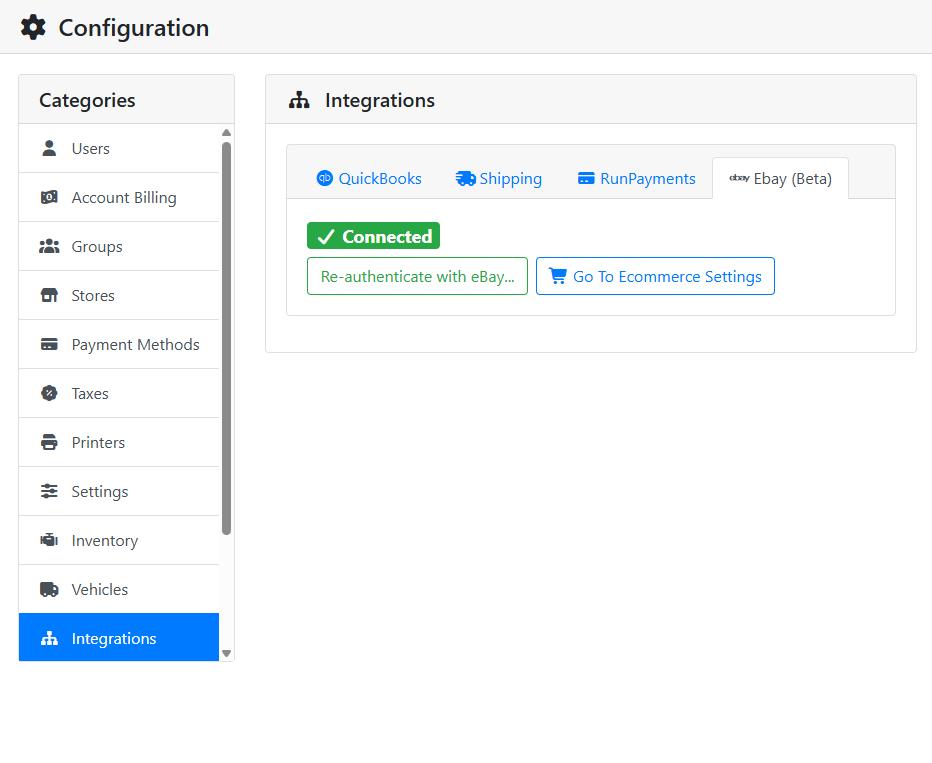
When successfully connected, a badge will indicate that the account is connected and the sign-in button will be replaced with a Reauthenticate with eBay button. Click the Go To Ecommerce Settings button, or click on the Ecommerce tab in Configuration to set global defaults for your listings.
If you receive an error when signing in to eBay, make sure your business policies are configured on your store. Read more in the eBay Integration introduction page.