
Use this guide to diagnose and fix common errors with eBay listings. There are two types of validation checks before a listing will be published on eBay: ITrack validation and eBay validation.
ITrack Data Validation
Before trying to send your data to eBay, ITrack will first check the data to make sure minimum requirements are met before attempting to push the data to eBay. This includes checking to make sure the data is complete and meets all of eBay’s required field information, checking to make sure the part has sufficient quantity, checking to make sure the part isn’t crushed, deleted, or sold, and checking to make sure the store the part is stocked at and the part’s part type are active in eBay configuration.
ITrack validation happens when your part is saved, which happens automatically when you view a part and make changes, or when making a new part. This means that when you first get started with eBay, any parts you already entered won’t automatically list. You will need to open those parts and review them for the back-end system to push them to eBay.
Skipped/Cancelled

If your listing status is Cancelled, it means the part has some property that indicates it should not be pushed to eBay. For example if the item is already sold, quantity is zero, or the part is stocked at a store that isn’t active on eBay, ITrack will skip all other validation won’t try to list the part.
If the part should be listed, check to make sure it has quantity, isn’t sold, the store it’s stocked at is active on eBay, and the part’s part type is not marked inactive on eBay.
Pending

If your listing is Pending, it means ITrack is working behind the scenes to push your listing to eBay. It usually takes no more than 5 minutes for the back-end service to package up the listing and attachments and send them to eBay.
If the listing stays in the Pending status for more than a few minutes, try refreshing the screen. The listing may have pushed but if you stay on the screen it may not have refreshed yet. If your listing persists in the Pending status for more than 10 minutes even after reloading the screen, check with ISoft support.
Validation Error

An Error status on an eBay listing with the Message: validation indicates that the listing is missing required data. Click the View Errors… button to see what required information is missing.
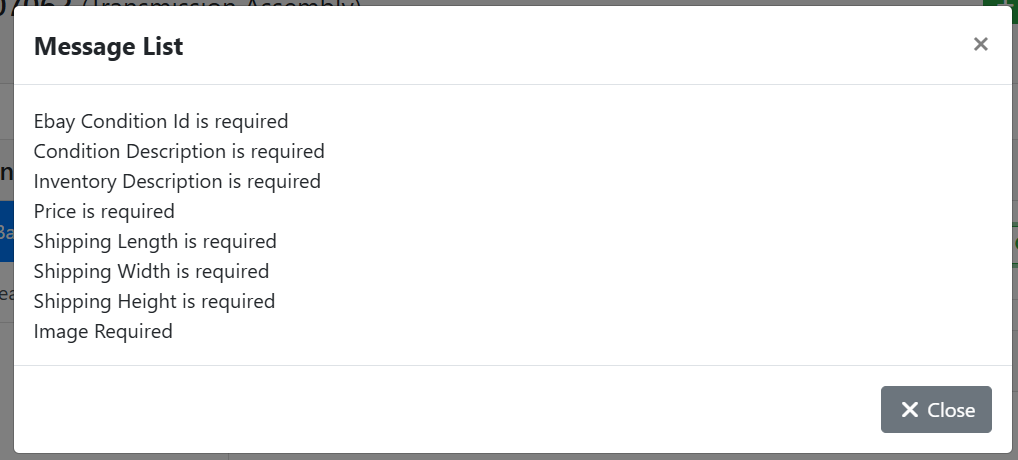
eBay requires a lot more data in a listing than ITrack does, such as at least one public image, a retail price, shipping dimensions, a valid eBay condition, and a description of your part. ITrack will highlight missing fields on the Ecommerce tab in red.
Read more about editing your listing in ITrack.
eBay Data Validation

After passing an ITrack validation check, your listing may still receive an error from eBay. These will be listed with the status Error, and the Message: API. Click the View Errors… button to see what error was reported back from eBay.
There are many different types of errors you may receive from eBay and ITrack can’t anticipate them all, but here are some common ones you may see.
Invalid Shipping Dimensions
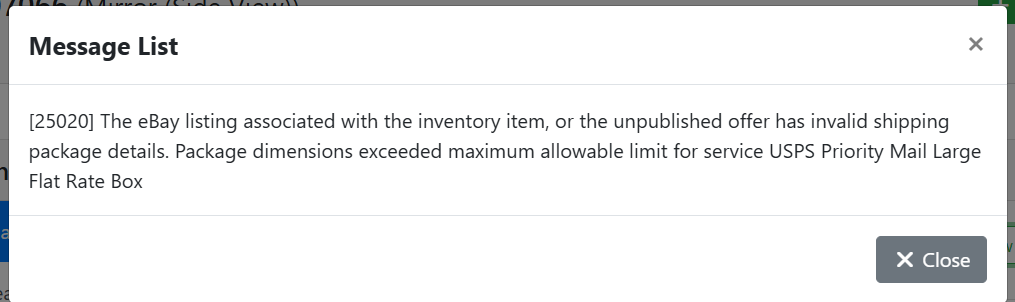
[25020] The eBay listing associated with the inventory item, or the unpublished offer has invalid shipping package details. Package dimensions exceeded maximum allowable limit for service (Name of Service).
An error message indicating invalid shipping details is caused when the Fulfillment (Shipping) Policy attached to the item conflicts with the item’s shipping dimensions. You need to check both the fulfillment policy on the item, and its shipping weight and dimensions. Correct the shipping dimensions if they were entered incorrectly, or you need to switch to a different fulfillment policy that can handle the object’s size and weight.
For example, USPS Priority Mail Large Flat Rate Box has a maximum weight of 1120 oz (70 lbs) and max dimensions of 25 × 13 × 6 inches (length × width × height). If my item is larger than that, I need to pick a different shipping option, such as freight or local pickup.
Read more from eBay about package restrictions and suggestions.
https://www.ebay.com/sellercenter/shipping/preparing-your-shipment/packaging-and-measuring
https://www.ebay.com/help/selling/shipping-items/usps-ups-package-types?id=4864
Invalid Package Type
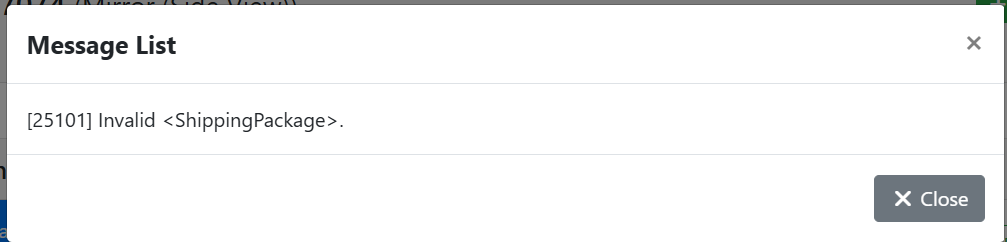
[25101] Invalid <ShippingPackage>.
An error message indicating an invalid shipping package indicates the Package Type on the listing isn’t valid for the eBay part category and the region.
Although it’s counterintuitive, the only valid Package Type is currently Letter. The package type doesn’t affect the listing, however, and is only used behind the scenes by eBay. ITrack recommends setting a global default package type for all listings to avoid this issue.
Selling Limit Exceeded
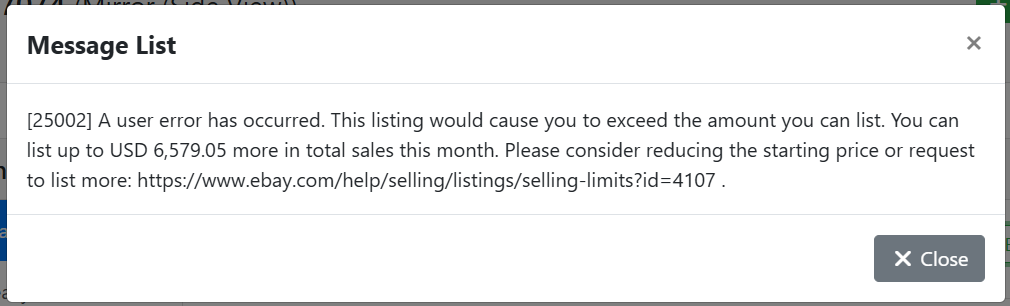
[25002] A user error has occurred. This listing would cause you to exceed the amount you can list. You can list up to USD (Amount) more in total sales this month. Please consider reducing the starting price or request to list more: https://www.ebay.com/help/selling/listings/selling-limits?id=4107 .
An error about reaching a selling limit is a restriction by eBay on your account. Depending on the maturity of your eBay store, your selling history, and your user reviews, this limit will vary. Check the item’s price and make sure you didn’t simply typo the price amount, otherwise you will need to contact eBay about increasing your selling limit.
Read more about eBay selling limits.
https://www.ebay.com/help/selling/listings/selling-limits?id=4107
Brand or MPN (Manufacturer Part Number) Is Missing
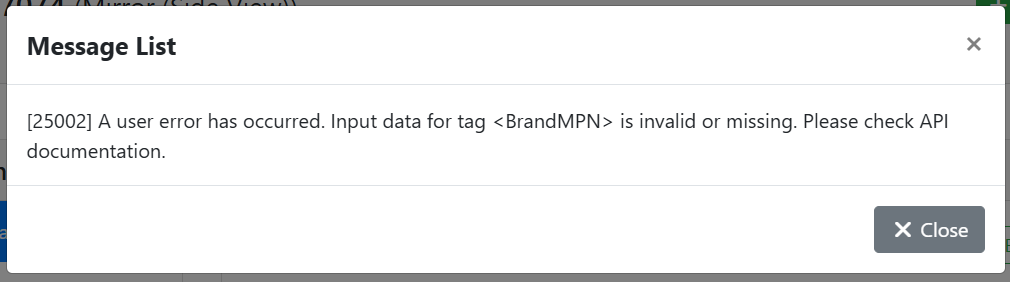
[25002] A user error has occurred. Input data for tag <BrandMPN> is invalid or missing. Please check API documentation
This error, while cryptic, simply means that the listing is missing either a Brand or an Manufacturer Part Number (MPN). Not every listing needs a brand and MPN, but if you enter one, eBay may require both. To fix this, either remove the brand or MPN so both fields are blank, or complete both fields and try again.