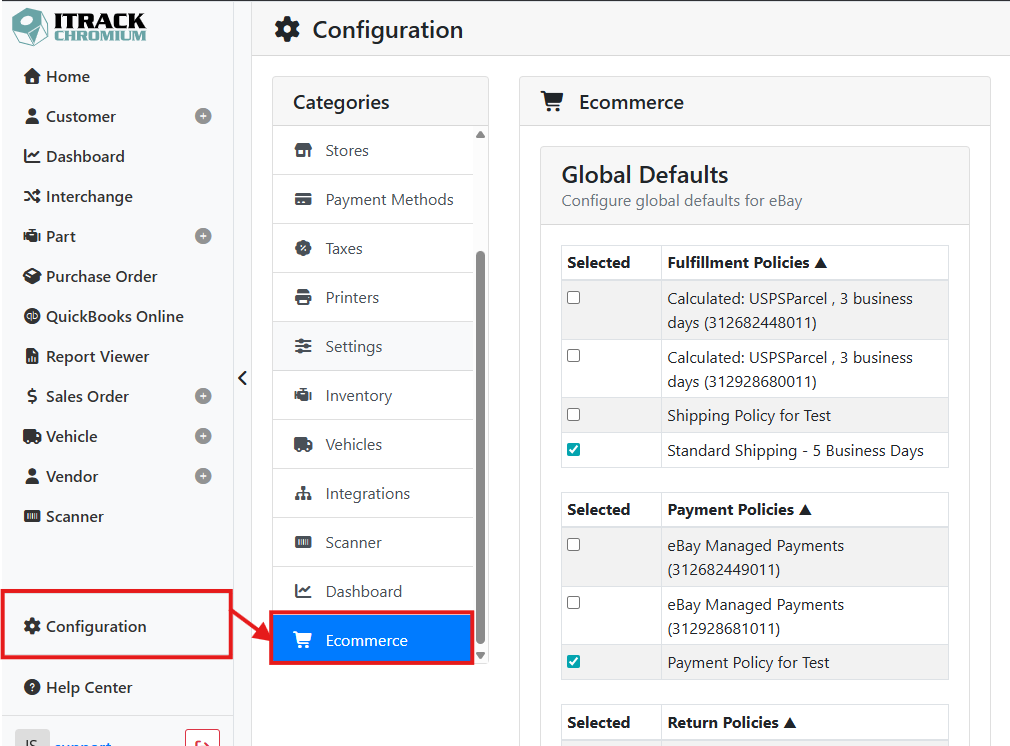
The Ecommerce tab under Configuration lets you set the default eBay settings that apply to all of your parts, as well as some initial configuration to match your data with eBay’s expected data formats.
This article will cover the initial eBay mapping configuration. Read more about Configuring eBay Listing Templates.
To map your data with eBay, go to Configuration and select the Ecommerce category.
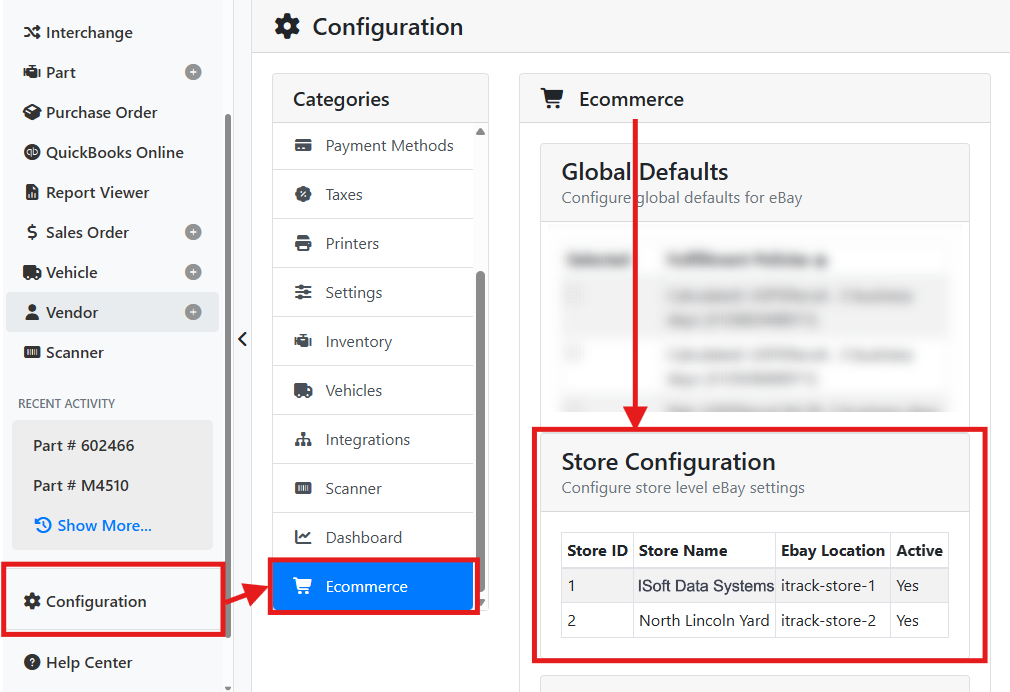
🏢 Store Configuration
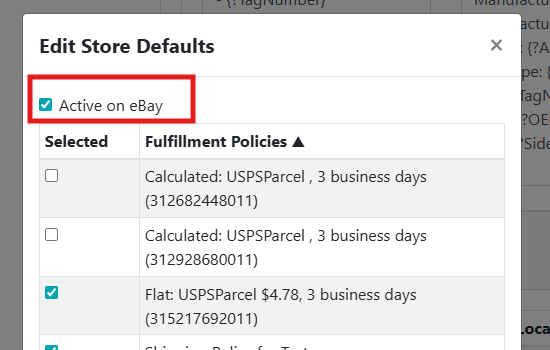
Your ITrack stores will be automatically synced with eBay and can’t be edited. You can change whether the store is active or inactive on eBay by selecting it from the Store Configuration section, and toggling the Active on eBay checkbox in the Edit Store Defaults window.
🔗 Condition Mappings
ITrack lets you define your own condition values, but eBay uses a fixed set of condition values. The Condition Mappings table is where you map each of your ITrack condition values to the appropriate eBay condition.
Condition mappings are required. Parts won't list successfully on eBay if their ITrack condition isn't mapped to a valid eBay condition value. Every condition you use should be mapped to an eBay condition to prevent issues when making listings.
➕ Adding a Condition Map
Click the + Add button to add a new condition mapping.
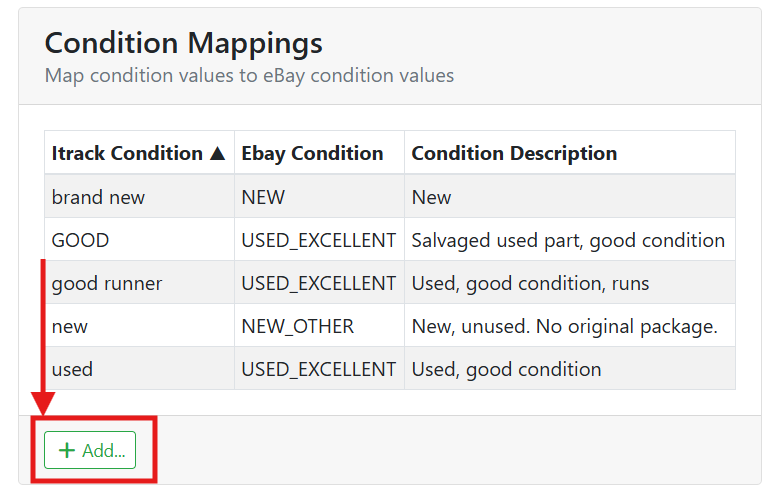
A window will open where you can select a condition from your ITrack data, and select which ECommerce Condition (eBay Condition) it should map to. You can also add a Condition Description for each mapping.
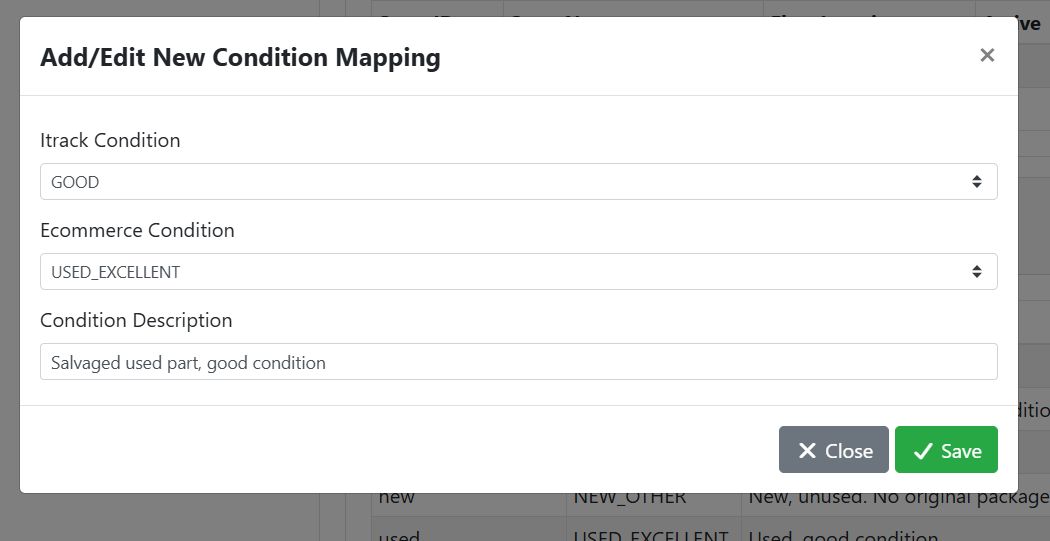
Click the Save button when you are finished.
✏️ Editing a Condition Map
Click on a condition in the table to edit it. The Edit Condition Map window will open again. Make your changes and save.
🗂️ Category Mappings
eBay requires listings to be filed under a specific category. The Category Mappings table maps your ITrack inventory types to eBay category paths. Some standard part types that ship with ITrack will already be configured and mapped to an eBay category. If you’ve made your own part types, or want to modify the default mappings, you can override them here.
➕ Add a Category Map
Click the + Add button to add a new category mapping.
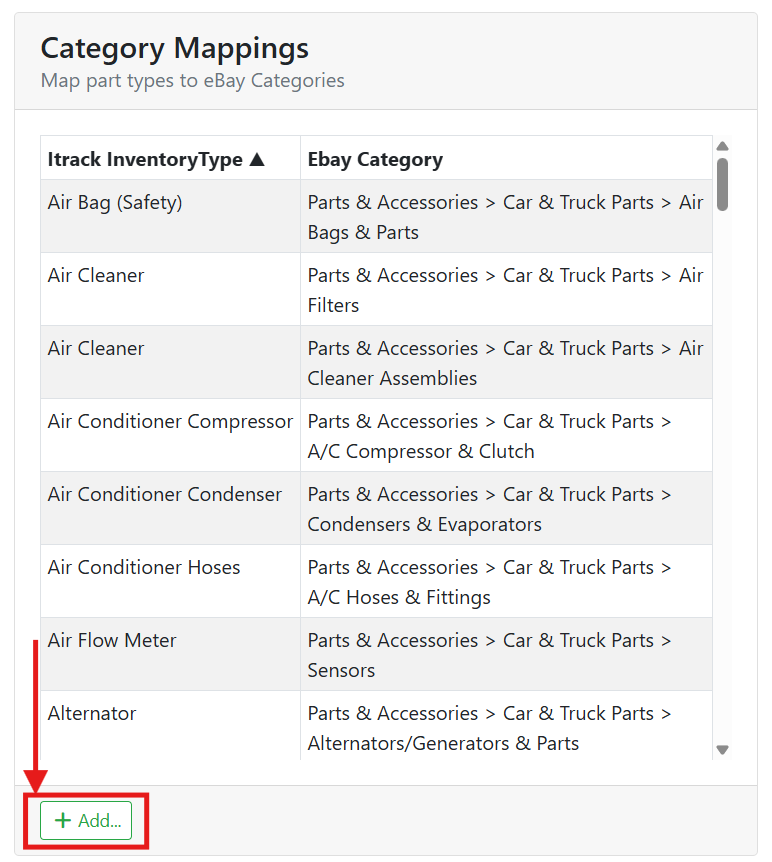
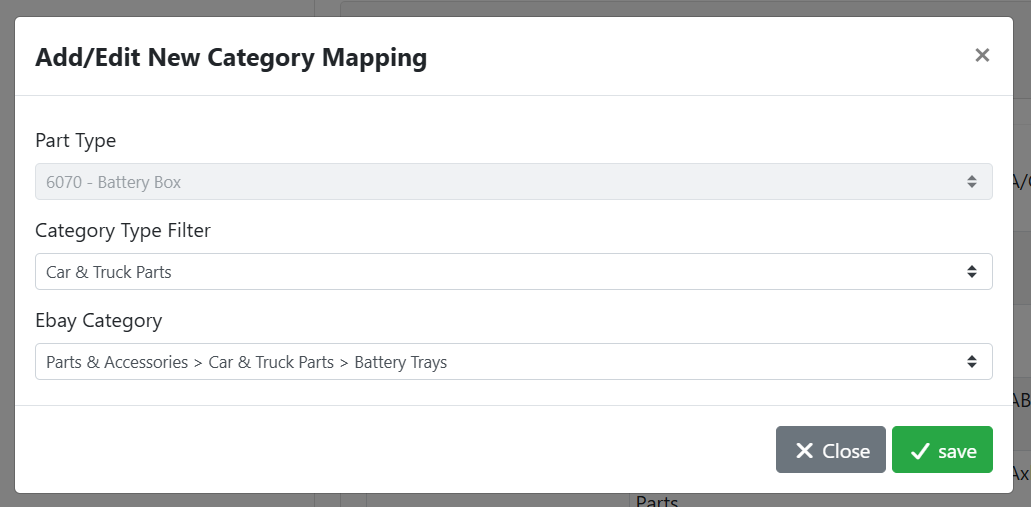
A window will open where you can select a part type from your ITrack data, and select which eBay Category it should map to. You can use the Category Type Filter to narrow the range of displayed eBay categories in the list. The Category Type Filter doesn’t save with the record, it is only used to filter the eBay Category list to a smaller set of data.
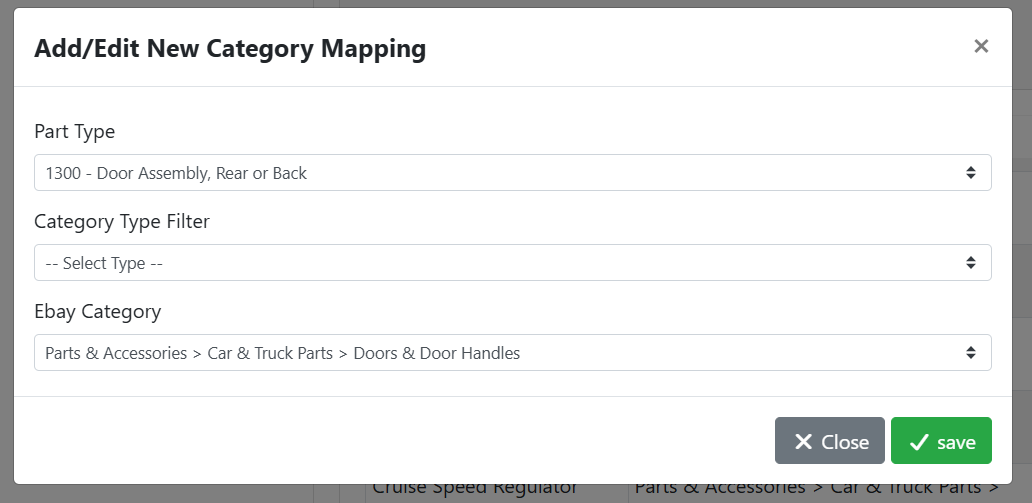
Click the Save button when you are finished.
✏️ Editing a Category Map
Click on a condition in the table to edit it. The Edit Condition Map window will open again. Make your changes and save. A part type can only be mapped once, so the ITrack Part Type menu is disabled when editing a mapping to prevent accidentally making a duplicate. If you need to change the part type, either make a new mapping or find the correct one to edit.
⚙️ Part Type Listing Configuration
The Part Type Listing Configuration table lets you determine which part types you want to list on eBay, and lets you set overrides to the global defaults for a specific part type, or for a specific part type and condition combination.
Read more about Configuring eBay Listing Templates.
🚦 Making a Part Type Template
By default, all part types will be listed on eBay. You can configure specific rules for part types and part type + category by using Part Type Templates.
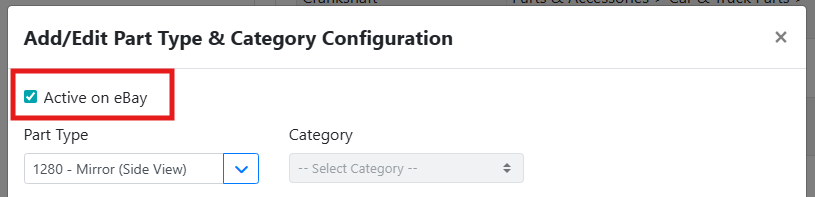
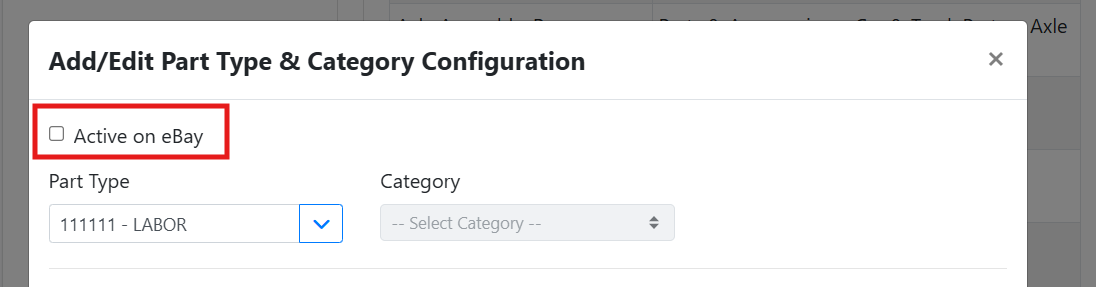
Click + Add... to create a new part type configuration, or click an existing row to edit it. Select the Part Type you want to list and check the Active on eBay checkbox. If your part type is configured to use categories, you can also specify specific part type and category combinations.
You may not want to list all part types on eBay, such as part types you have configured for internal purposes. These could be things like sales order adjustments, replenishable parts you consume in your shop, items you stock but don’t sell, or parts you don’t want to sell online that require pick up.
In this example, I have a part type for labor charges. I don’t want this to list on eBay, so I will leave the Active on eBay checkbox unchecked.
For a part type that I do want to list on eBay such as a side mirror, I need to add it to the Part Type list and enable the Active on eBay checkbox.