
When reviewing an eBay listing error, you may receive an error such as “Invalid Shipping Package”.
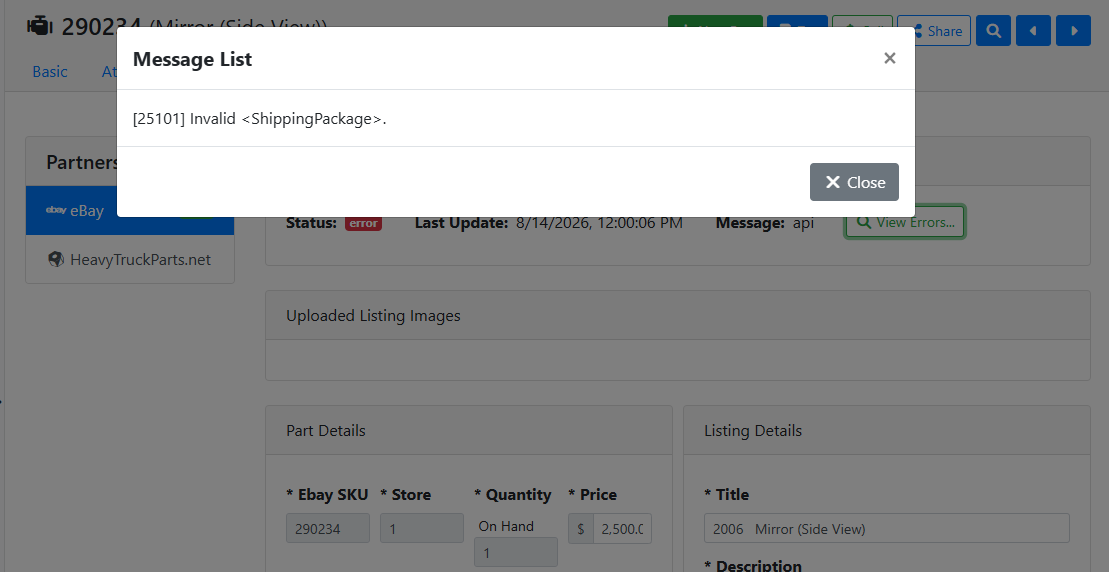
This error means the part's shipping details don't meet the requirements of the carrier configured in your eBay shipping policy. There are two causes, either the weight or dimensions are in the wrong units, or the values exceed the carrier's maximum for that package type.
Correcting the Shipping Details
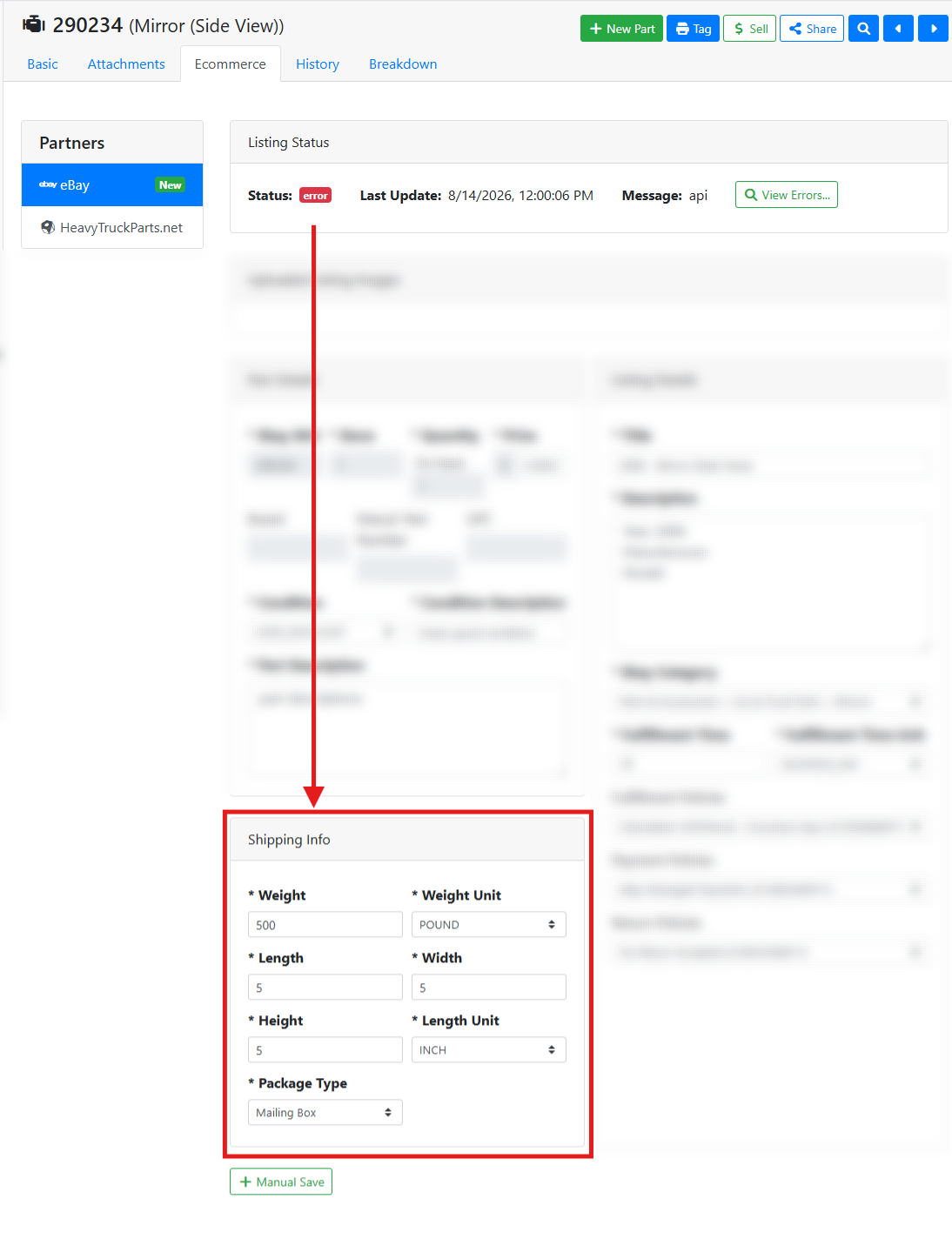
The shipping values for the part are in the Shipping Info Panel on the Ecommerce tab.
Check the units first. Domestic carriers such as USPS, UPS, and FedEx only accept weight in ounces and dimensions in inches. If Weight Unit is set to pounds, change it to ounces and re-enter the weight value in ounces. If Dimension Unit is set to centimeters, change it to inches and re-enter the dimensions.
If the units are already correct, check the package type. The Package Type must be one the carrier in your eBay shipping policy supports, and the part's weight and dimensions must fall within that package type's limits. If the part is too large or heavy, select a different shipping policy from your eBay shipping policy list. If you don’t have a shipping policy that fits the part dimensions, you may need to add a new shipping policy to your eBay store
In this example, the part is listed as 500 pounds. The carrier on my shipping policy only accepts weight in ounces, AND the item is overweight for the package so I got a listing error.
Read more about configuring shipping policies for your eBay store.
https://www.ebay.com/help/selling/posting-items/setting-postage-options?id=4089