
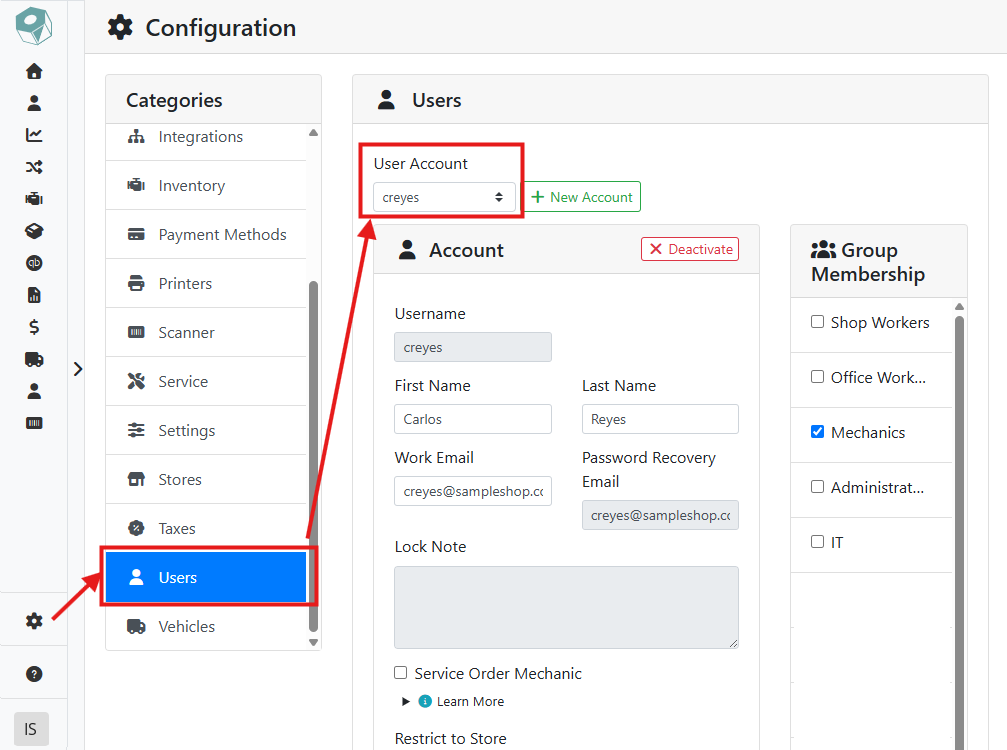
To flag a user as a mechanic, navigate to that user by selecting Configuration > Users.
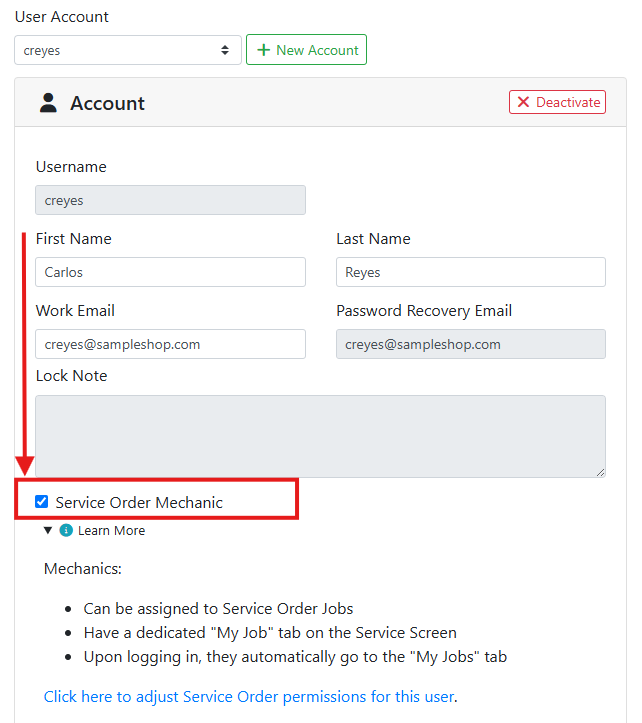
Check the Service Order Mechanic checkbox in the user's Account box.
What Changes When a User is a Service Order Mechanic?
Every user appears in the Assigned To dropdown on a service order job, but mechanics are listed first, so a counterperson or service manager building an order can find one quickly.
Checking this box also gives the user a dedicated My Jobs tab on the Service Orders screen.
Service order mechanics will see the My Jobs tab by default when they first log in to ITrack.
Read more about the My Jobs tab.
For full control over what a mechanic can see and do elsewhere in ITrack, such as editing labor rates or managing time clocks, also review their permissions.
Read more about User Permissions.