
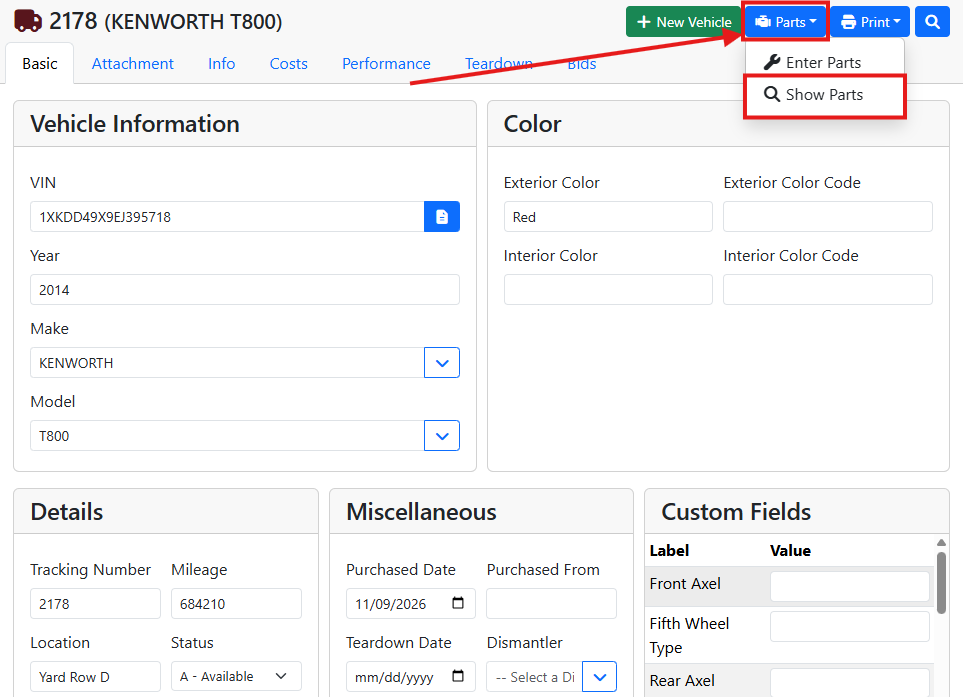
To see every part that came off a vehicle, open the vehicle, click the Parts button in the upper right corner, and choose Show Parts.
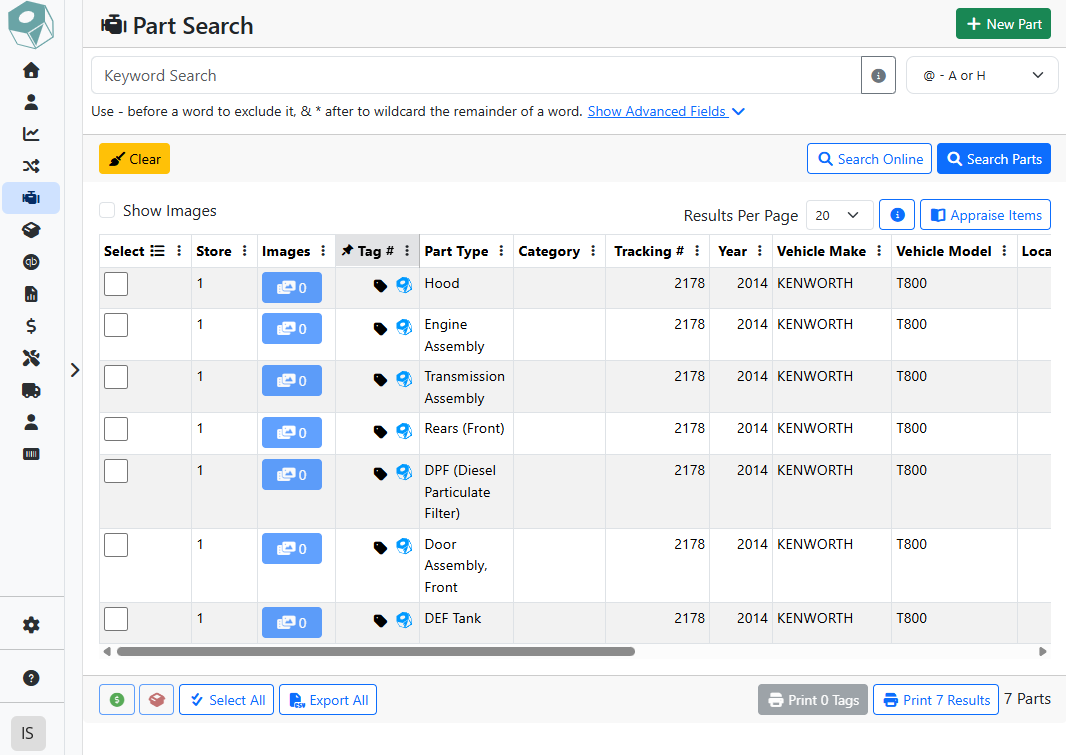
The Part Search screen opens with a list of all the vehicle's parts. From here, you can open a part, sort the list, or narrow it down with more search fields.
Read more about searching for parts.